TABLE OF CONTENTS
Introduction
To provide technical support quickly and securely, Setera Italia uses Iperius Remote, a software solution that allows our technicians to temporarily connect to the user’s computer, subject to authorization or a commercial agreement where applicable.
In some cases, the connection to the PC is also used to access devices on the same local network, such as IP phones, DECT bases, or other telecommunications devices supplied by Setera, for in-depth testing.
Software Download
Download Iperius Remote using the button below:
Launch the Software
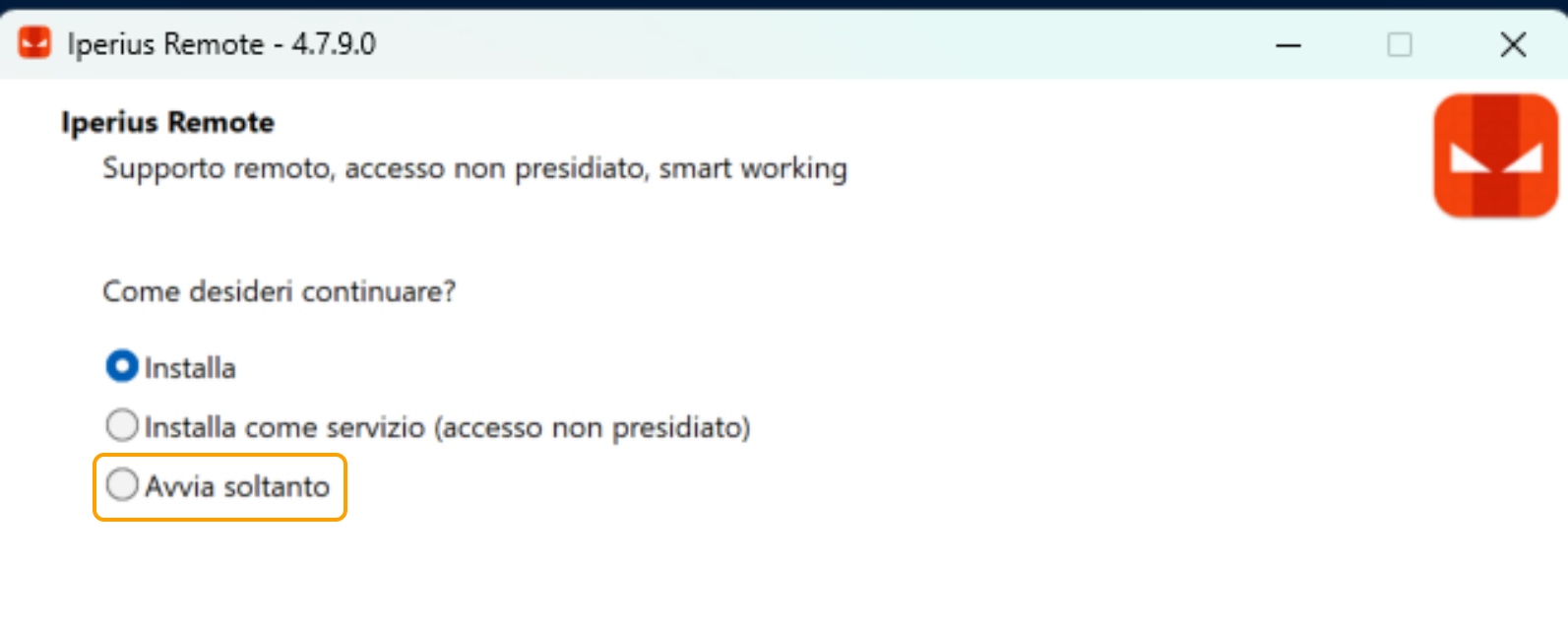
After running the downloaded file, you will be asked whether you want to install the program or launch it.
Normally, it is sufficient to simply launch the application without installing it on your PC.
During the support session
Once the program is open:
- Provide the technician with your ID and password, which are displayed in the Iperius Remote window.
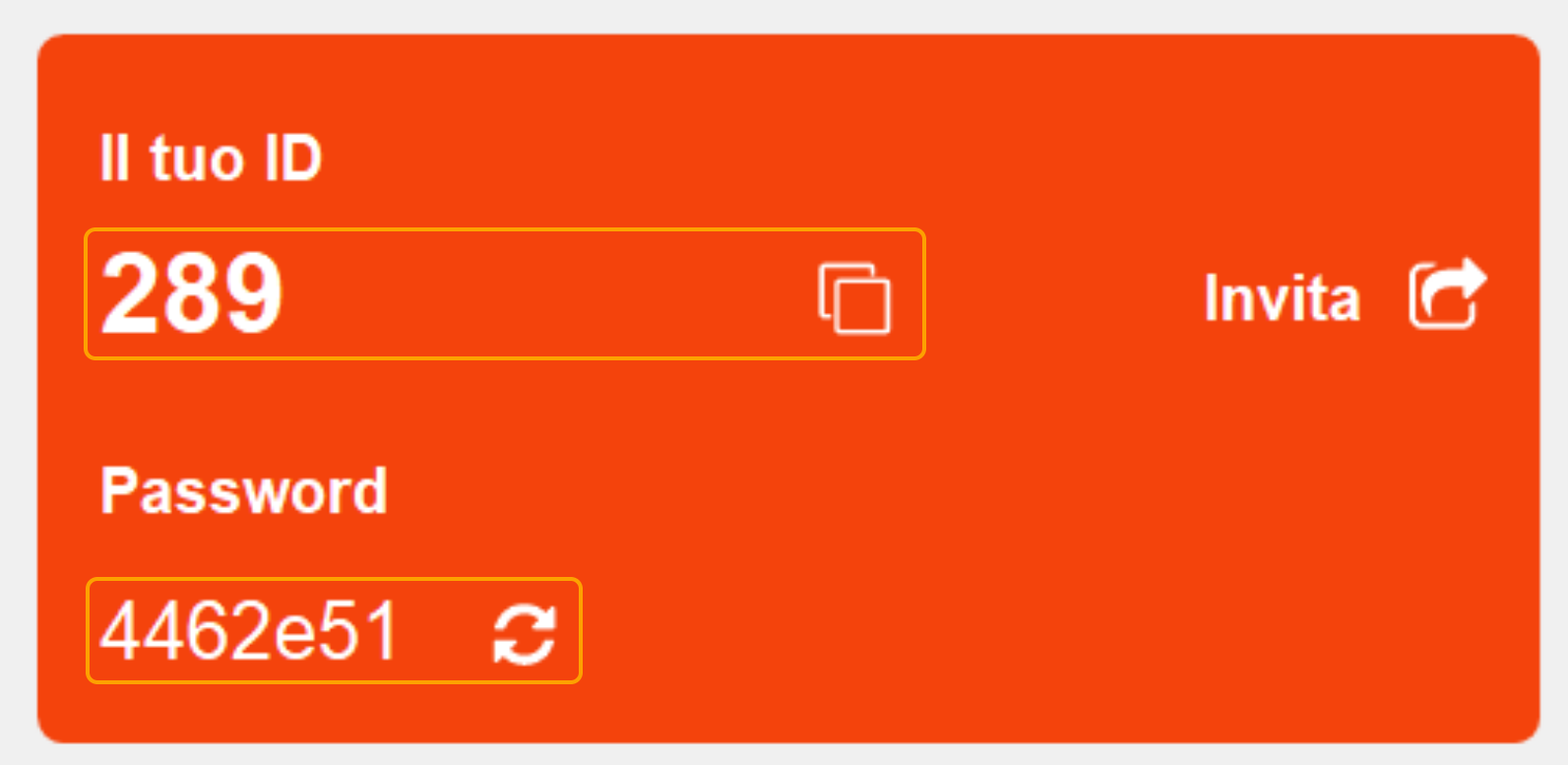
- Wait for the remote session to start.
During the remote support session, please do not use your mouse or keyboard to avoid interfering with the Setera technician’s work.
FAQ
Do I need to install Iperius Remote?
No. For most sessions, it’s sufficient to use “Launch Only” mode without installing the program.
Can the technician connect without my consent?
No. Each session requires the user’s authorization.
Is there a charge for remote support?
There are no additional costs if the remote support is used by a Setera technician for verification, configuration, or troubleshooting of equipment and services provided by Setera that are located on the customer’s network.
There may be a charge when the customer requests remote support for configuration or troubleshooting on their own PC or Setera app, if they are unable to perform the required checks on their own.
The charge applies only in cases where the problem is identified as being related to customer-side configurations or settings.
Was this article helpful?
That’s Great!
Thank you for your feedback
Sorry! We couldn't be helpful
Thank you for your feedback
Feedback sent
We appreciate your effort and will try to fix the article